
Short answer: Send vector files (AI, EPS, or print-ready PDF) built in CMYK, placed on our dieline, with images at 300 dpi and 3mm bleed. That combination goes to proof without a round of fixes.
The File Checklist
| Format | AI, EPS, or press-ready PDF (vector preferred) | Vector art scales to any size without pixelation |
| Color mode | CMYK | RGB converts unpredictably; CMYK is what the press prints |
| Resolution (raster elements) | 300 dpi at final size | Anything lower prints soft or visibly pixelated |
| Bleed | 3mm beyond the dieline edge | Prevents white hairlines if cutting shifts slightly |
| Dieline | Artwork placed on our template | Guarantees your design lands where intended on the formed bowl/cup |
| Fonts | Outlined or embedded | Missing fonts are the #1 cause of prepress delays |
Vector vs. Raster: The One Decision That Matters Most
- Vector (AI/EPS/PDF): Lines and shapes defined mathematically. A logo that looks sharp on a business card looks equally sharp wrapped around a 32oz bowl. Always preferred.
- Raster (JPG/PNG): Pixels. Fine for a photographic element at 300 dpi, but a 72-dpi web logo enlarged to full-wrap size will print blurry — no prepress trick fixes that.
If your logo only exists as a small JPG, tell us early. We can advise whether it will hold up or needs redrawing before you pay for proofing.
Common Mistakes That Delay Proofing
- RGB files. Designed for screens, not presses. Convert to CMYK and re-check colors — some bright RGB blues and greens shift noticeably.
- Artwork not on the dieline. A beautiful flat design means nothing if nobody checked how it wraps. Always request our dieline for your exact size first.
- Missing bleed. Artwork that stops exactly at the cut line risks a thin white edge on the finished piece.
- Unoptimized small text. Text under ~6pt can fill in during printing. Keep small legal/type lines at a safe size and weight.
- No font files, not outlined. If we don’t have your font, your headline reflows into a substitute. Outline fonts before sending.
What Happens After You Send Files
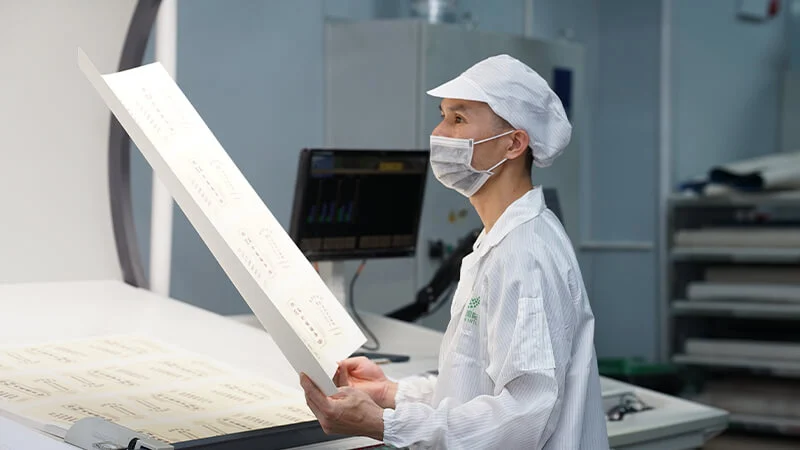
- Prepress check (1–2 days): We verify format, color mode, resolution, dieline fit, and fonts — and send back a punch list if anything needs fixing.
- Proof: Once files pass, we produce your physical sample (~7 days). What you approve is what the bulk run matches.
- Plates: Approved artwork goes to plate making — one plate per color, per size-and-artwork combination.
FAQ
I only have a JPG logo. Can you still print it?
Sometimes. If it’s high resolution (300 dpi at the size it will print), yes. If it’s a small web graphic, it will print soft — we’ll tell you honestly at the prepress check rather than after you’ve paid for samples.
Do you provide the dieline/template?
Yes. Tell us the product and size; we send the exact dieline your designer should build on.
Can you design the artwork for me?
We handle prepress and minor file cleanup. Full creative design is best done by your designer on our dieline — then we verify it’s print-ready.
What’s the difference between a digital proof and a physical sample?
A digital proof shows layout; a physical sample shows the truth — real ink on real board, formed into the real product. For custom print runs, always approve the physical sample.
Send your files for a free prepress check — get a free quote. See also: the full custom printing process and how brand color matching works.